Payment module
Barion for PrestaShop
Payment cards
Apple Pay
Google Pay
Bank transfers
CZK
EUR
USD
HUF
Supported versions: PrestaShop 1.6-9.x


Barion
- Card payment, Apple Pay, Google Pay
- Payment by bank buttons
- Supported currencies: CZK, EUR, HUF, USD and more
Key features
- Individual payment methods dynamically offered during ordering in e-shop
- Automatic order status change based on payment result
- Order numbers on the gateway account statement
- Localization to many languages
- Easy installation, warranty, user support and updates
- Installation service to your e-shop and module setup from our side
- Support for multisite / multistore
- Lifetime license
- 12 months of technical support and access to updates
Reliable payment modules
The widest offering and the longest history
20
years of development
12
e-shop platforms
22
payment gateways
10 000+
deployed modules
Our offer
Without installation
Installation is in your hands according to the included guide.
price: 2 600 CZK
(Approximately 104 €)
OrderIncluding installation
We’ll install and configure the payment module for you.
price: 4 600 CZK
(Approximately 184 €)
OrderPayment module look in practice
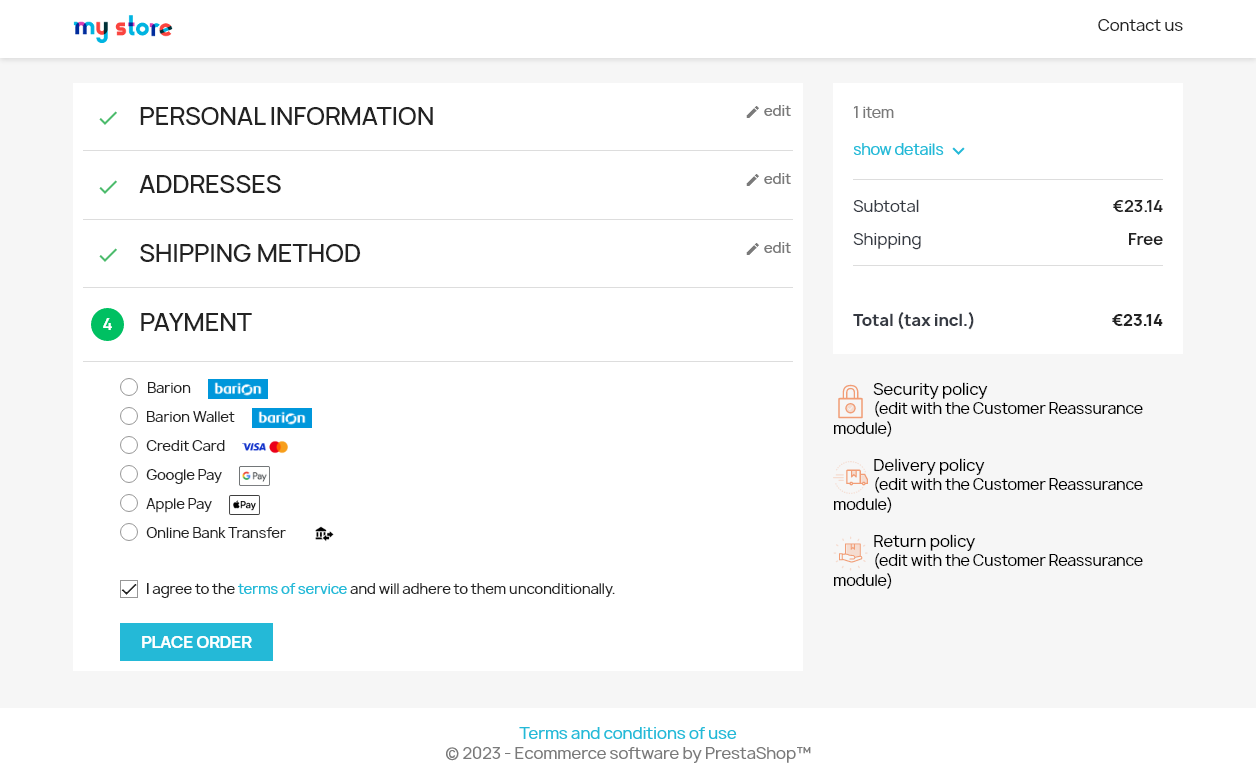
Payment method selection
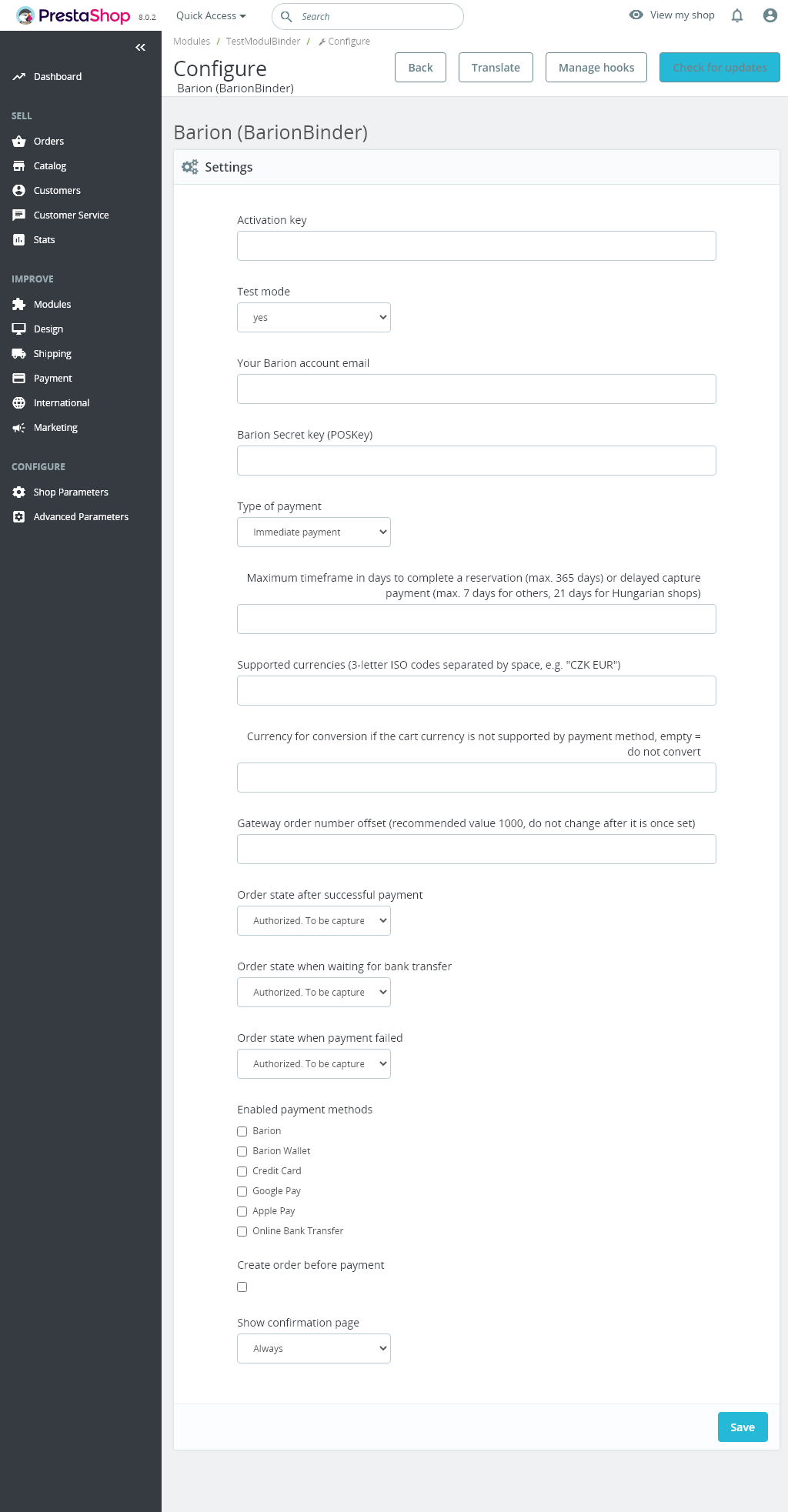
Payment module settings in admin
Payment module features Barion for PrestaShop
Card payment, Apple Pay, Google Pay
Supported payment card brands: VISA, VISA Electron, MasterCard
Supported currencies: CZK, EUR, HUF, USD and more
Supported currencies: CZK, EUR, HUF, USD and more
Payment by bank buttons
Supported are
Czech, Slovak, Polish and Hungarian banks
Individual payment methods displayed dynamically in the payment selection in the e‑shop
The list of payment methods is displayed to the customer during ordering directly in the e‑shop.
In the admin you can choose which methods will be shown during the order process .
In the admin you can choose which methods will be shown during the order process .
Supported languages
The module displays the gateway in the e-shop language.
The module supports languages: Czech, English, Slovak, German, Hungarian, Romanian, Polish, Spanish, Russian with the option to add translations of other languages.
The module supports languages: Czech, English, Slovak, German, Hungarian, Romanian, Polish, Spanish, Russian with the option to add translations of other languages.
Automatic order status change based on payment result
The module automatically updates the order status in the e‑shop based on payment status changes at the payment gateway. So from the status you know it is paid and you can fulfil the order.
Order numbers on the gateway account statement
The module sends the shop order number to the gateway, which is then available on the gateway statement. Each payment includes the order number, which is useful when processing accounting. For this function just enable the option to create an order before payment in the module settings.
Multi-store
The module supports multistore configuration where each shop/domain can be configured to a different gateway account .
A license must be purchased for each domain.
Deployment and operation
Easy installation
You install the module via the upload button in the admin and then configure it in the admin like standard payment modules.
A detailed guide is included for setting the module on your payment gateway account. The guide also includes typical configuration mistakes and their solutions.
Our user support is available. You can also additionally order installation and module setup service for your e-shop from our side.
A detailed guide is included for setting the module on your payment gateway account. The guide also includes typical configuration mistakes and their solutions.
Our user support is available. You can also additionally order installation and module setup service for your e-shop from our side.
Support and updates
For the purchased module, we provide warranty, technical support, and free access to updates for 12 months from purchase. This period can be extended before it expires by another 12 months for a fee per the price list, currently 1 100 CZK.
Lifetime license
The module license is lifetime, and support expiration does not affect it. The license is tied to a specific e-shop internet domain and applies to the module version obtained at purchase or during an update.